Internal linking – the small detail that makes a big difference
Linking between different pages on your website might not sound particularly fun or exciting, or like something that’s crucial for SEO. But the fact is that internal links are more useful than you might think. These links help Google and LLMs navigate your website and understand how everything is connected. At the same time, they make it easier for your visitors to find more of what they’re looking for – without having to click around at random.
But how does internal linking actually work, why is it so important, and how can you do it effectively? Let’s take a closer look!

What is internal linking?
An internal link is a link that leads from one page to another page on the same website, to make it easier for the reader to find a similar topic. For example, seodr.® has previously written about internal linking in our article on the 10 most common SEO mistakes, and so it feels very natural for us to link to that article here.
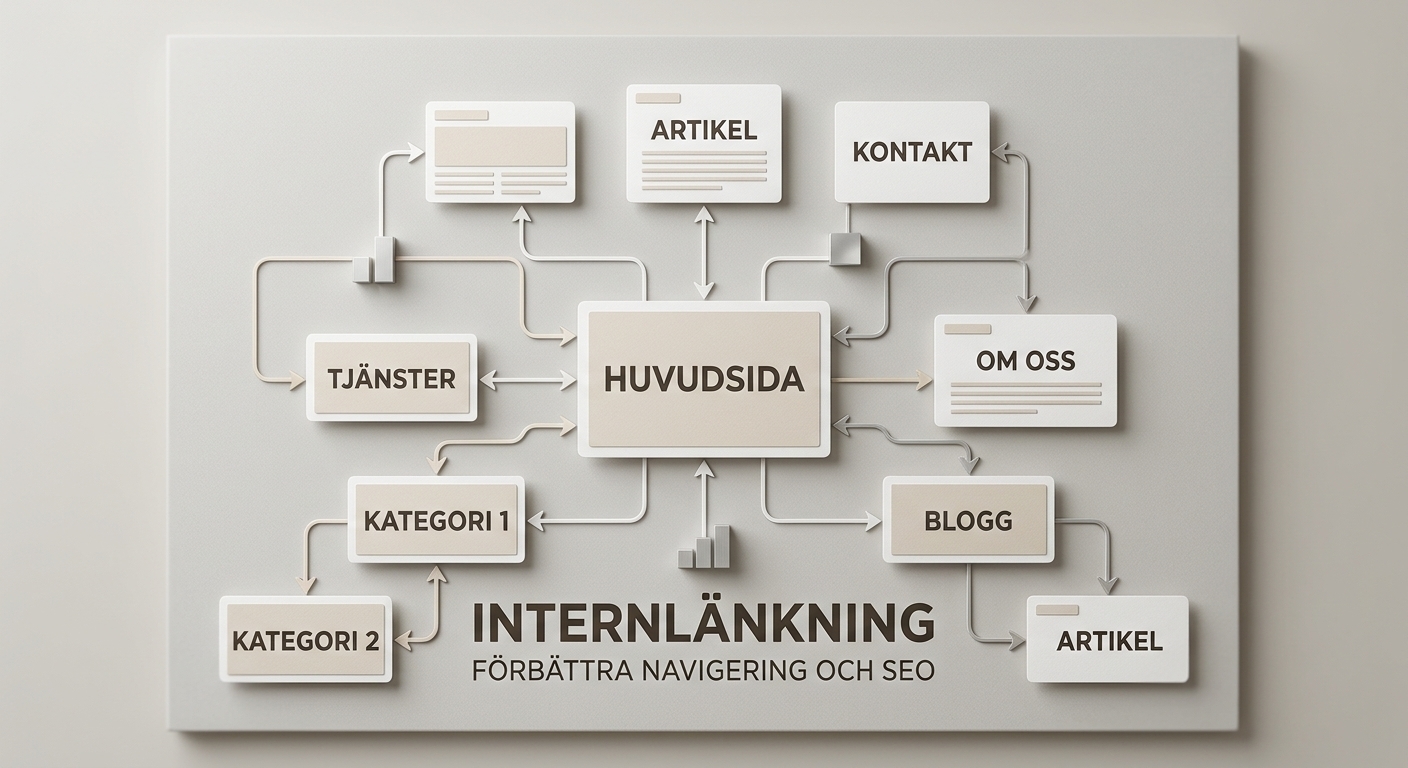
One purpose of internal linking is to create natural connections between related content. By linking between articles, you create a structure where the information complements one another. This helps visitors navigate the site, and from an SEO/GEO perspective, it is particularly important as it gives search engines more ways to discover and understand the website’s pages.
That is why internal links are important for SEO
Internal links serve several purposes in a well-thought-out SEO strategy:
- They help Google and large language models (LLMs) find your pages
Search engines use links to discover and navigate between web pages. When you link to an important page from other relevant pages, you create additional routes for search engines to find the content, which is particularly important on large websites where certain pages might otherwise be difficult to discover. A prerequisite for this is, of course, that the pages are accessible to search engines and that the links are implemented correctly.
- They clarify what topics your website covers
If your company offers search engine optimisation services and publishes articles on technical SEO, keyword analysis, content optimisation and link-building strategies, it is important that these pages link to one another in a relevant way, so that it is easier to understand how the various topics are connected.
For example, you could have an overview page on SEO that links to more detailed guides. This way, you create a clear structure where visitors can move from a broad introduction to more specific information.
Internal links are, of course, no guarantee of better search rankings, but they do help to create a clearer website structure.
- They help you highlight key pages
Not all pages on a website are equally important to the business. Some articles are primarily intended to inform, whilst other pages showcase services, products or offers that are directly linked to the company’s objectives. By linking from relevant articles to key service pages, you can make these pages easier to find and create a clearer path through the website. Internal links can also help to distribute link signals between pages, which is one of the reasons why the link structure is important from an SEO perspective.
Anchor text plays a bigger role than you might think
Anchor text is the clickable text used in a link. For example, if you’re writing an article about technical SEO and linking to a guide with the text ”read more here”, this wording gives the reader very little information about what to expect. A more descriptive anchor text might be ”read our guide to technical SEO”.
The latter explains more clearly what the link leads to and helps both visitors and search engines to understand the context. This does not mean that every link must contain an exact keyword. On the contrary, excessive use of the same keyword-optimised anchor text can be perceived as unnatural. Instead, write anchor texts that fit naturally into the text and describe the content of the landing page.
Common mistakes with internal linking
Although internal linking is relatively straightforward to implement, there are several common mistakes that can make the structure less effective.
Just link to the home page. The home page is important, but there are often other pages that deserve more attention. Make sure that relevant service pages and in-depth articles also receive natural links.
Using the same anchor text everywhere. Using identical phrasing can make the link structure seem less natural. Vary the wording where appropriate and always ensure that the text describes the link in a relevant way.
Publishing articles without linking to them. A new article should not be an isolated part of the website. Consider which existing pages could link to it and which other pages it should link to.
Posting links that add nothing. A link should help the reader move on. If it does not provide context, relevant information or a natural continuation, there is rarely any reason to include it.
Forgetting about older content. When you publish new content, there may be older articles that are ideal to link to. You should therefore review your existing content regularly, rather than just focusing on your most recent publications.
How to create a better internal linking strategy
You don’t need to carry out a major reorganisation of the website to get started. Start by creating an overview of the content and identifying the most important pages.
Here’s a simple way to develop a better internal linking strategy:
- Identify your most important pages. Start with service pages, category pages and other content that is important to the business
- Group related content. Collect articles and web pages that deal with the same subject area.
- Link between pages that complement one another. Make sure visitors can easily find their way to relevant information. As the reader has just read about a similar topic, there is a high probability that they will want to read more.
- Check the anchor texts. Check that the links are clear and descriptive.
- Check that important pages are easy to find. For example, use an SEO tool or a website crawl to identify pages with few or no internal links.
To see in black and white just how well internal links actually work, it is important to monitor the results. Feel free to supplement this with data from an SEO tool to gain a clearer picture of the website’s structure.
Would you prefer not to have to keep track of everything yourself? seodr.® helps our clients review their website’s internal linking structure and continuously monitors how it performs. This way, we ensure that your pages are well interconnected and that both search engines and your visitors can find what they’re looking for!
How many internal links should a page have?
There is no universal number of internal links that suits all pages. A longer guide may naturally contain more links than a short service page. The important thing is that each link serves a purpose and helps the reader find relevant information. Also bear in mind that important pages should not rely on visitors finding a single link buried deep within a blog post. Clear navigation and a logical structure remain essential.
Do you need help with internal linking on your website?
Internal linking may not be the most talked-about aspect of SEO, but it deserves a natural place in any optimisation strategy.
At seodr.®, we see internal linking as a natural part of an effective SEO strategy. Listen from you to us, and we’ll guide you through to boost your digital visibility!